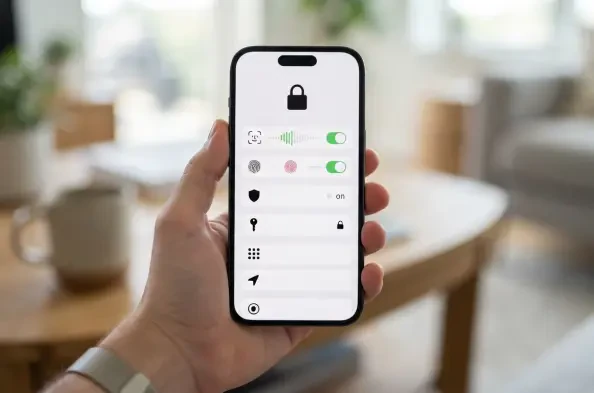
Many users inadvertently grant precise location data to apps that only require a general geographic area to perform their primary tasks effectively. As the digital landscape in 2026 continues to evolve, the density of personal information stored on mobile devices has reached unprecedented levels. While iOS remains a benchmark for security, the default settings often prioritize convenience over absolute privacy. This creates a vulnerability where third parties or malicious actors could potentially gain insights into daily routines, financial transactions, or private communications. Taking a proactive stance toward device configuration ensures that the sophisticated hardware in a pocket serves as a fortress rather than a gateway for unauthorized access. The following adjustments are not merely optional enhancements but essential practices for anyone navigating the current technological environment. By understanding the granular controls available within the operating system, individuals can significantly reduce their digital footprint and mitigate the risks associated with data misuse or physical theft.
1. Restrict Information Visible on Your Lock Screen
The lock screen serves as the primary interface of an iPhone and is the first line of defense against unwanted intrusions. However, it often leaks more information than intended through visible notification previews. To address this, one should navigate to the Settings app, select Notifications, and then tap on Show Previews. Selecting the When Unlocked option ensures that the contents of incoming messages, emails, and alerts remain hidden until the device successfully authenticates the owner via Face ID or Touch ID. This simple modification prevents strangers or colleagues from reading sensitive information that might appear on the display while the phone is sitting on a desk or table. In an era where two-factor authentication codes are frequently delivered via SMS, keeping these previews hidden is a critical step in preventing account takeovers. Maintaining this level of obfuscation ensures that even if a device is physically visible, the data it contains remains strictly confidential until authorized.
Further strengthening the lock screen involves limiting the functional access granted to unauthorized users. By returning to the main Settings menu and entering the Face ID & Passcode or Touch ID section, users can find the Allow Access When Locked category. It is highly recommended to toggle off the switches for features such as Control Center, Siri, and Reply with Message. Disabling the Control Center prevents a thief from immediately putting the device into Airplane Mode, which would otherwise disable tracking features like Find My. Similarly, restricting Siri ensures that voice commands cannot be used to extract personal details or perform actions without biometric verification. These restrictions might introduce a slight delay in daily usage, but the security benefits far outweigh the minor inconvenience. By locking down these entry points, the device becomes a much less attractive target for opportunistic criminals who rely on quick access to system settings to bypass security protocols.
2. Utilize Safety Check and Audit App Permissions
Systematic reviews of data sharing are made possible through the Safety Check feature, which was designed to help users manage and revoke access quickly. Within the Settings menu, navigating to Privacy & Security leads to the Safety Check option, where the Manage Sharing & Access tool resides. This utility provides a guided experience to examine which individuals and apps have permissions to see location data, photo libraries, and other sensitive metrics. It is particularly useful for auditing long-standing permissions that may no longer be relevant or necessary. By methodically stepping through each category, one can ensure that digital connections remain intentional rather than accidental. This process acts as a comprehensive reset for privacy, allowing for the immediate termination of sharing protocols that could potentially compromise personal safety. Regularly performing this audit is a hallmark of good digital hygiene in 2026, ensuring that the circle of trust remains limited to necessary parties.
Granular control over specific hardware and software permissions can be further refined by manually checking categories within the Privacy & Security menu. For applications that utilize location services, it is vital to change the access setting to While Using rather than Always. Furthermore, disabling the Precise Location toggle for apps that do not require exact coordinates—such as weather or news platforms—prevents the collection of highly specific movement patterns. To gain a deeper understanding of how software behaves in the background, the App Privacy Report should be enabled at the bottom of the menu. This log provides a detailed breakdown of how frequently various applications access sensors like the microphone or camera, as well as their network activity. Analyzing this data allows for the identification of over-reaching software that may be harvesting data unnecessarily. This level of transparency empowers users to make informed decisions about which developers they choose to trust with their most private information.
3. Secure or Conceal Your Most Private Apps
Managing the visibility and accessibility of individual applications provides an extra layer of protection when a device is temporarily shared or handed to another person. Users can secure specific apps by pressing and holding the app icon on the Home Screen and selecting the option to Require Face ID or Touch ID. Once confirmed, this ensures that the app will not launch without a fresh biometric scan, even if the iPhone itself is already in an unlocked state. This feature is indispensable for protecting financial applications, private messaging platforms, or health-related data that should never be accessible to anyone other than the device owner. It effectively mitigates the risk of shoulder surfing or the accidental exposure of sensitive information during social interactions. By implementing this requirement, the owner creates distinct security boundaries within the operating system, ensuring that unlocking the phone does not automatically grant total access to the most critical data points stored within.
For scenarios where even the presence of an application needs to be kept confidential, the operating system allows for the complete concealment of icons. By long-pressing an icon and choosing the Hide option, the application is removed from all Home Screens and moved into a specialized Hidden folder within the App Library. Accessing this folder is only possible through biometric authentication, making it virtually invisible to unauthorized users who might be browsing the device. This capability is particularly useful for maintaining privacy regarding professional tools, dating apps, or sensitive internal documents. It should be noted that hidden apps do not show notifications in the traditional way, which further aids in maintaining their invisibility. Utilizing this folder ensures that the App Library remains organized while sensitive tools remain tucked away behind an encrypted barrier. This method provides peace of mind for those who value absolute discretion, ensuring the existence of certain software remains private.
4. Disable Cross-App Tracking and Targeted Ads
The modern advertising landscape relies heavily on tracking user behavior across different platforms to build comprehensive consumer profiles. To combat this, one should visit the Privacy & Security section in Settings and navigate to the Tracking menu. Switching off the Allow Apps to Request to Track toggle effectively sends a system-wide command to all installed software to cease monitoring activity across other companies’ apps and websites. This proactive measure significantly disrupts the ability of data brokers to aggregate information about browsing habits, purchase history, and app usage. By denying these requests automatically, the user avoids the fatigue of constant permission prompts while maintaining a higher standard of anonymity. As the industry moves toward 2027 and 2028, these privacy-first configurations are becoming the primary defense against invasive digital marketing. Reducing the amount of data transmitted to external servers not only protects privacy but can also lead to modest improvements in device performance.
While Apple maintains its own advertising ecosystem, it provides transparent controls to limit how internal data is used for commercial purposes. In the same Privacy & Security menu, users should locate the Apple Advertising section to find the toggle for Personalized Ads. Turning this off prevents the system from using search history, download patterns, and device information to serve targeted promotions within the App Store or Apple News. Although this does not eliminate advertisements entirely, it ensures that the ads encountered are not based on a deep analysis of personal preferences. This step is crucial for those who wish to minimize the psychological impact of targeted marketing and maintain a more neutral digital environment. By opting out of these tracking mechanisms, individuals assert control over their digital narrative and limit the degree to which their interactions are commodified. This approach aligns with a broader trend of reclaiming digital sovereignty by restricting the flow of personal data to even the most trusted manufacturers.
5. Enable Stolen Device Protection
Stolen Device Protection represents one of the most significant advancements in mobile security, specifically targeting the threat of passcode theft. This feature can be found within the Face ID & Passcode or Touch ID section of the Settings app. Once activated, the device utilizes sophisticated location awareness to identify when it is away from familiar environments like a home or office. In these unfamiliar settings, any attempt to perform sensitive actions—such as changing an Apple account password or accessing stored credentials—requires a biometric scan and imposes a one-hour security delay. This intentional friction provides a critical window of time for a victim to realize their phone is missing and use another device to lock the account or wipe the data remotely. It renders a stolen passcode nearly useless for high-stakes maneuvers, drastically reducing the incentive for criminals to target iPhone users. Enabling this protection is a fundamental requirement for anyone who frequently uses their device in public areas.
Implementing Stolen Device Protection requires several foundational security layers to be active, including Find My and two-factor authentication on the Apple account. These prerequisites ensure that the device remains part of a wider security ecosystem that can be managed from any web browser. Users must remain diligent and remember to disable this specific feature before selling their device or sending it in for professional repair, as the security delays could otherwise impede legitimate transfers of ownership. Beyond these administrative tasks, the feature functions seamlessly in the background, providing constant vigilance without interrupting the daily user experience in safe locations. As mobile devices become the central hub for financial and legal identities, this protection acts as a vital safeguard against sophisticated physical theft tactics. By integrating biometric requirements with location-based logic, the system effectively bridges the gap between digital security and physical safety for every user.
6. Strategic Implementation for Long-Term Data Integrity
The integration of these protocols established a robust defense mechanism for personal data and overall digital identity. By prioritizing biometric authentication and limiting the visibility of sensitive software, individuals successfully reclaimed control over their personal narratives. These steps served as a foundation for future security upgrades, as the landscape of 2027 and 2028 was expected to bring even more complex threats. Maintaining a rigorous schedule of permission audits and hardware checks ensured that the device remained a reliable vault for private information. Furthermore, the adoption of stolen device protections significantly reduced the potential impact of physical theft, providing a safety net that functioned silently in the background. Moving forward, the emphasis shifted toward continuous monitoring of the App Privacy Report to identify emerging risks before they could be exploited. This proactive methodology ultimately transformed the iPhone into a bastion of personal security that stayed protected.
Beyond the immediate technical adjustments, the shift toward a privacy-centric mindset proved to be the most effective defense against data exploitation. Users who adopted these practices found themselves better equipped to navigate the complexities of modern digital life, where data is often traded as a commodity. The historical data provided by the App Privacy Report offered a clear vision of which developers maintained high ethical standards and which were prone to excessive data harvesting. This informed perspective guided future decisions regarding software downloads and service subscriptions, ensuring that only the most reputable entities gained access to the device. The transition to a more locked-down environment did not hinder productivity; instead, it provided the peace of mind necessary to utilize mobile technology to its full potential. By treating security as an ongoing process rather than a one-time setup, individuals successfully fortified their digital presence against both current and future vulnerabilities. This remains the gold standard for data protection.