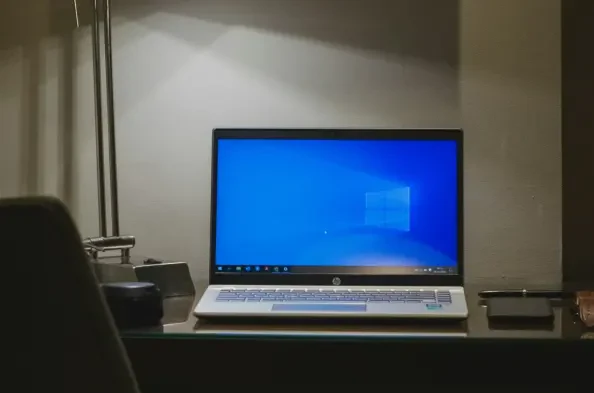
The digital landscape is currently witnessing a massive displacement of users as the once-dominant Windows 10 platform enters its twilight years. Despite the push toward newer ecosystems, over 30% of the global personal computer market remains tethered to this legacy operating system, creating a significant security gap in the modern computing environment. For many, the decision to stay is not a matter of stubbornness but a consequence of the strict hardware requirements associated with newer versions, which have effectively orphaned millions of perfectly functional machines. As the current year progresses, these users find themselves in a precarious position where the hardware they rely on is outlasting the software designed to protect it. This discrepancy between physical longevity and software support creates a unique set of challenges that demand a deeper understanding of the risks involved in maintaining an aging digital infrastructure.
Navigating the Technical Risks of Operating System Obsolescence
The transition into an unsupported state is rarely a sudden crash; instead, it is a slow degradation of the system’s ability to defend itself against an evolving threat landscape. While the user interface remains identical to its prime, the underlying architecture becomes static, unable to adapt to the increasingly sophisticated methods employed by cybercriminals. This stagnation is particularly dangerous because it creates a false sense of security for those who do not see immediate changes in their daily operations.
The Erosion of the Security Lifecycle
The most significant consequence of the end of support is the complete cessation of the standard Windows Update lifecycle. In a typical supported environment, engineers work around the clock to identify and remediate “zero-day” exploits—vulnerabilities that are discovered and exploited by hackers before a fix exists. Once support ends, this reactive cycle breaks down completely. While malicious actors continue to innovate and find new ways to bypass system defenses, the operating system’s internal walls remain frozen in their current state. This imbalance ensures that over time, the probability of a successful breach increases exponentially, as the list of unpatched vulnerabilities grows while the tools to combat them are no longer being developed for the general public.
This lack of patching extends beyond the operating system itself and begins to affect the entire software stack. As the base OS remains static, third-party developers find it increasingly difficult to ensure their applications run securely on an aging foundation. Eventually, many software vendors will prioritize modern platforms, leaving Windows 10 users with older, more vulnerable versions of web browsers, office suites, and communication tools. This creates a compounding effect where a single vulnerability in a neglected application can serve as an entry point into a system that no longer possesses the internal mechanisms to isolate or neutralize the threat. The resulting “legacy trap” forces users to choose between functionality and security, often at the expense of the latter.
The Growing Reality of Technological Isolation
Beyond the immediate concerns of cybersecurity, users on an unsupported platform face a gradual descent into technological isolation. This phenomenon manifests as a growing incompatibility with new hardware peripherals and specialized software that require modern driver architectures only available in newer operating systems. For instance, a professional photographer purchasing a high-end camera or a small business installing a state-of-the-art multi-function printer may find that the manufacturer has opted not to develop drivers for Windows 10. This effectively turns modern hardware into expensive paperweights for those who remain on the older platform, regardless of how powerful their existing computer might be.
Furthermore, the shift toward cloud-integrated services and modern productivity suites is accelerating the obsolescence of legacy systems. Many corporate environments and collaborative platforms are beginning to mandate the security features present in more recent operating systems as a prerequisite for access. This means that a Windows 10 user might find themselves locked out of essential work tools or unable to participate in secure communications simply because their operating system cannot support the necessary encryption standards or identity verification protocols. This isolation is not merely an inconvenience; it represents a fundamental barrier to participation in the modern digital economy, forcing a divide between those on supported hardware and those left behind in a shrinking ecosystem.
The Financial and Structural Realities of Continued Use
Maintaining a legacy system requires more than just caution; it often requires a financial commitment to bridge the gap left by the developer. The introduction of specific programs to extend the life of these systems highlights the scale of the problem, but these solutions are often temporary and come with their own set of limitations. Understanding these structures is crucial for anyone planning to keep their existing hardware operational through the current year and beyond.
The Mechanics of the Extended Security Updates Program
To address the millions of users unable to migrate, a temporary bridge known as the Extended Security Updates (ESU) program has been established. This program provides a critical lifeline by delivering essential security patches until October 2026, though it operates under a strictly defensive mandate. Unlike standard updates, the ESU does not provide any new features, performance enhancements, or general technical support. It is a paid subscription service, currently priced at approximately $30 for individual consumers, which serves as a “stop-gap” measure rather than a true extension of the operating system’s life. This allows users to buy time, but it does not change the fact that the underlying platform is no longer the focus of active development.
The enrollment process for this program requires a proactive approach from the user, as it is not an automatic transition. While some users may be able to utilize loyalty points or specific promotional offers to offset the cost, the reality is that the ESU is a shrinking window of protection. For business users, the situation is even more complex, as the costs for these updates often double annually, making long-term reliance on Windows 10 a prohibitively expensive strategy. This tiered pricing model is designed to encourage migration while providing a safety net for those with critical needs, but it emphasizes the temporary nature of the solution. Those who rely on the ESU must realize that the clock is ticking, and the end of this program will mark the final, definitive conclusion of the platform’s security lifecycle.
The Impending Crisis of Security Certificates
A deeper, more technical threat to the stability of legacy systems involves the expiration of foundational security certificates, such as those used by Secure Boot. Secure Boot is a critical layer of protection that ensures a computer only loads software trusted by the manufacturer during the startup process. While modern operating systems receive automatic updates to these certificates, those on standard Windows 10 installs are increasingly likely to face certificate expiration. When these certificates lapse, the system loses its ability to verify the integrity of the boot process, leaving it wide open to “rootkit” malware that can infect a machine before the security software even has a chance to load. This type of deep-level infection is notoriously difficult to detect and remove.
The consequences of certificate expiration are not limited to malware risks; they can also cause severe operational failures. For example, users who employ BitLocker drive encryption may find themselves locked out of their own data if the system detects an untrusted boot environment. In such cases, the computer may demand a 48-digit recovery key that many casual users have never recorded or have long since misplaced. Additionally, conflicts between the aging Windows Boot Manager and newer third-party software can lead to “blue screen” errors or a total failure to boot. These structural vulnerabilities represent a decay of the system’s core stability, making the act of simply turning on the computer a gamble for those without updated security credentials.
Implementing a Multi-Layered Defense Strategy
When the primary developer steps back, the burden of maintaining a secure computing environment shifts entirely to the user. Running a legacy operating system in the current year requires a shift in mindset from a passive consumer to an active system administrator. A single piece of software is no longer sufficient to protect against the modern threat landscape; instead, a multi-layered approach is required to compensate for the missing foundational patches.
Transitioning to Specialized Security Suites
The first line of defense in an unsupported environment must be the transition from basic, built-in antivirus tools to more comprehensive, third-party security suites. While some basic protections may still receive signature updates, they are often insufficient against modern, fileless malware and sophisticated phishing campaigns. High-quality security utilities utilize behavior-based detection, a technology that monitors the system for suspicious patterns of activity rather than relying on a static database of known threats. This is crucial for Windows 10 users because a behavior-based engine can often block a malicious action even if it exploits a vulnerability that the operating system itself no longer knows how to patch.
Furthermore, these advanced suites often include enhanced firewalls that are significantly more robust than the standard Windows options. These firewalls can be configured to block specific types of network traffic that are commonly used in exploit attempts, effectively creating a “shield” around the aging operating system. By monitoring both incoming and outgoing data at a granular level, these tools can prevent a compromised system from communicating with a hacker’s command-and-control server, potentially mitigating the damage of a breach before it can escalate. For anyone remaining on a legacy platform, investing in a reputable, frequently updated security suite is a non-negotiable requirement for basic digital safety.
Proactive Networking and User Vigilance
Beyond local software, the network environment plays a pivotal role in the safety of an unsupported PC. The use of a Virtual Private Network (VPN) can add a necessary layer of obfuscation, masking the computer’s identity and location from potential attackers who scan the internet for vulnerable targets. While a VPN does not fix the underlying holes in the operating system, it reduces the overall “attack surface” by making the machine harder to find and probe. Additionally, users should consider hardware-level security, such as ensuring their home routers have the latest firmware and that all unnecessary ports are closed to prevent external intrusion into the local network.
The final and most important layer of defense is the behavior of the user themselves. In a world where the operating system can no longer save the user from their own mistakes, digital hygiene becomes paramount. This involves a heightened skepticism toward all unsolicited emails, a total avoidance of unverified software downloads, and a commitment to using strong, unique passwords managed by a dedicated password manager. Regular data backups to an offline or cloud-based destination are also essential, as they provide the only true recovery path in the event of a catastrophic system failure or a successful ransomware attack. Staying safe on Windows 10 is possible, but it requires a level of alertness and technical maintenance that many users may ultimately find more exhausting than simply upgrading their hardware.
Proactive Steps for a Sustainable Future
The decision to continue using Windows 10 was a calculated choice for many who sought to maximize the value of their existing hardware. Throughout the current year, the landscape of digital security has continued to shift, making it clear that while legacy systems can be maintained, they cannot be preserved indefinitely. The most immediate next step for any individual or organization still relying on this platform was the audit of their current security posture, ensuring that all third-party protections were fully operational and that critical data was redundantly backed up. Those who successfully navigated this period did so by treating their computers not as “set and forget” devices, but as vulnerable assets requiring constant monitoring and active management.
Looking ahead, the focus must move from maintenance to transition. The gradual expiration of the Extended Security Updates program serves as a definitive deadline for all remaining users. Practical next steps included researching hardware that met the necessary compatibility standards for modern operating systems or exploring alternative platforms that offered long-term support for older components. By acknowledging the limitations of their current setup and planning for an eventual upgrade, users transformed a potential crisis into a managed transition. The era of Windows 10 was defined by its longevity and reliability, but the lessons learned during its final years emphasized that in the world of technology, security and progress are inextricably linked.