In the high-stakes world of small and medium-sized businesses, the difference between market leadership and stagnation often hides in the most mundane places. Vernon Yai, a seasoned expert in data governance and workflow optimization, has spent his career identifying the invisible friction points that drain corporate resources and demoralize talent. While many executives chase flashy digital overhauls, Yai argues that the real revolution happens by fixing the “broken” everyday tasks—the manual scanning, the printer errors, and the disconnected hardware—that quietly devour productivity. By addressing these foundational bottlenecks, businesses can stop reacting to crises and start reclaiming the bandwidth needed for genuine innovation.
The following discussion explores the critical balance between immediate troubleshooting and long-term strategy, the massive financial implications of manual document handling, and the security vulnerabilities inherent in unmonitored office hardware. We also delve into the transformative power of AI-enabled systems, which are projected to unlock billions in untapped value for the SMB sector.
IT teams often spend more time troubleshooting immediate issues than upgrading core systems. How does this reactive cycle specifically stall long-term innovation, and what metrics should a leader monitor to identify when support tickets are cannibalizing strategic growth initiatives?
It is a sobering reality that over half of IT leaders find themselves trapped in a never-ending “break-fix” cycle where they spend more time resolving immediate fires than improving core systems. When 50% or more of your technical staff’s time is swallowed by routine support tickets, your long-term innovation strategy doesn’t just slow down; it effectively hits a wall. This reactive stance creates a palpable sense of frustration throughout the office as high-level growth initiatives are constantly pushed to the back burner in favor of fixing a jammed scanner or a lost file. Leaders need to move beyond just counting tickets and start looking at the ratio of “run” versus “build” hours to see exactly how much strategic capacity is being lost. If you notice that your most talented engineers are spending their afternoons on compatibility issues rather than platform optimization, you are witnessing the slow death of your competitive edge.
Many employees spend several hours each week on manual document preparation and scanning instead of high-value work. Could you walk us through the hidden costs of these daily inefficiencies and explain how automating routine document handoffs impacts a company’s ability to scale?
The hidden costs of manual document handling are most visible in the weary eyes of a team forced to perform administrative drudgery that could easily be automated. Our research indicates that 50% of knowledge workers feel they spend far too much time on manual tasks, turning what should be a two-minute digital handoff into a grueling hour-long ordeal of scanning, renaming, and manual filing. This isn’t just a minor annoyance; it is a scalability killer because you are effectively paying high-salaried experts to act as entry-level processors, which drains the creative energy required for strategic projects. When half of your workforce is stuck in these loops, the friction becomes a permanent drag on your growth, making it impossible to increase output without hiring more people to handle the mess. By automating these handoffs, you don’t just save time; you liberate your staff to focus on the “high-value” work that actually moves the needle for the business.
Issues with file output and printing compatibility reportedly slow down a significant portion of the workforce. What specific friction points in these everyday workflows tend to be overlooked, and what step-by-step improvements can help bridge the gap between physical and digital work environments?
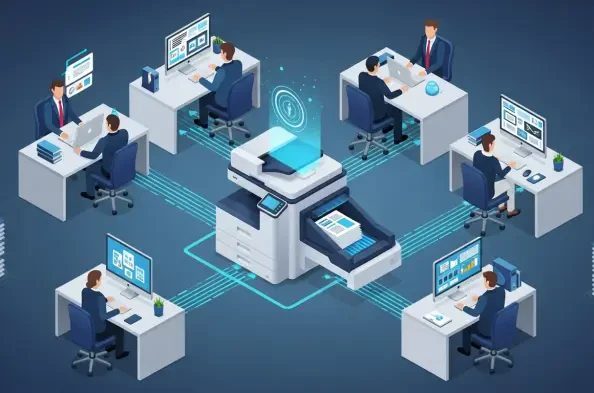
It is easy to overlook the physical-to-digital bridge, but 37% of workers report that printing issues are a primary source of productivity loss in their daily lives. Beyond the hardware itself, 42% of employees lose significant time just preparing files for output, wrestling with formatting glitches or “file not supported” errors that disrupt their mental flow. These moments of friction are compounded by the fact that nearly 70% of IT leaders encounter persistent compatibility challenges, leading to total operational halts when a critical printer goes offline. To bridge this gap, businesses should first digitize key document steps to reduce the need for physical handling and then ensure that every piece of hardware is fully integrated into their existing cloud environments. By centralizing the management of these devices, you remove the “clunky” feel of old-school office work and create a seamless transition where data moves effortlessly between the screen and the page.
Connected devices are frequently assumed to be secure, yet they often lack consistent updates and visibility. What are the primary security risks associated with unmonitored hardware on a company network, and how can leaders centralize oversight without adding unnecessary complexity for their IT staff?
Printers and scanners are the “forgotten” endpoints of the corporate network, often treated as simple appliances rather than the sophisticated, connected computers they actually are. This lack of visibility creates a dangerous security blind spot, as these devices are frequently overlooked during routine software updates, leaving them open to exploitation. Since nearly 70% of IT leaders report that productivity declines significantly when these devices fail, the risk isn’t just a data breach—it’s a total loss of workflow continuity. Leaders can centralize oversight by adopting smart management platforms that provide real-time analytics on device performance and security status across the entire network. This proactive approach allows IT teams to monitor the health of every device from a single dashboard, ensuring that security patches are applied automatically without adding a single extra task to an already overloaded staff.
Integrating AI-enabled systems and cloud environments could potentially unlock billions in productivity for small and medium-sized businesses. How does adopting these smart technologies change the daily experience for a typical employee, and what practical steps should a business take to begin this transition?
The shift toward AI-enabled printing and cloud-integrated systems represents a massive $25 billion productivity opportunity for SMBs in the United States alone. For the typical employee, this transition replaces the stress of “will it work?” with the quiet confidence of a system that anticipates maintenance needs and automates repetitive file preparation. Since 82% of leaders believe investing in new technology is the only path to long-term success, the pressure is on to keep up with the 70% of competitors who are already moving toward these smarter tools. A business should begin this transition by auditing their service tickets to pinpoint where the most daily friction occurs—whether it’s device downtime or manual data entry—and then implement targeted upgrades. By focusing on these high-impact zones first, you can deliver measurable benefits and prove the value of the technology without needing to reinvent your entire infrastructure overnight.
What is your forecast for smart printing and workflow automation in the SMB sector?
I forecast a future where the distinction between physical documents and digital data becomes entirely invisible, thanks to the total integration of AI-driven automation. Over the next few years, we will see the $25 billion productivity gap begin to close as SMBs move away from reactive “break-fix” maintenance and toward intelligent systems that manage themselves. The era of the manual document handoff is coming to an end, replaced by workflows that are secure, proactive, and deeply integrated into the cloud. Eventually, these smart systems will be so seamless that employees won’t even think about the technology behind their work—they will simply have more time and energy to focus on the innovation and growth that truly drives progress. For the reader, my advice is to stop looking at office hardware as a utility and start seeing it as a strategic asset that, when optimized, can become a primary engine for your company’s digital transformation.