The inherent fragility of digital information has never been more apparent than in the current landscape of 2026, where the sheer volume of personal and professional data necessitates a robust and multifaceted strategy for preservation. Linux users benefit from an ecosystem that prioritizes choice, but this abundance often creates a paradox where individuals must navigate a dense forest of command-line utilities, graphical interfaces, and varied storage protocols. To find the ideal solution, one must look beyond simple file copying and instead evaluate how a tool handles encryption, versioning, and the inevitable constraints of storage costs. Whether a person is managing a single laptop or overseeing a sprawling network of servers, the goal remains identical: ensuring that a catastrophic failure is merely a temporary inconvenience rather than a permanent loss of history. This landscape has matured to offer specialized paths for technical backgrounds of all types, moving away from a uniform approach toward a highly modular and secure reality that respects both user privacy and system resources. Selecting the right software is the most critical decision a user can make to safeguard their digital legacy.
Simplified Solutions: Desktop and Cloud Options
User-Friendly Automation: The Déjà Dup Framework
For the typical desktop user who wants a set-it-and-forget-it experience, Déjà Dup has established itself as a primary recommendation because of its focus on usability and deep integration with popular environments like GNOME. By presenting a clean, intuitive interface, it removes the friction often associated with manual backup routines, allowing users to select their home directories and destination folders with just a few clicks. The software intelligently handles the complex process of scheduling and execution in the background, ensuring that incremental backups occur without requiring constant human intervention or terminal access. This approach is particularly effective for those who may feel intimidated by technical configurations but still recognize the absolute necessity of protecting their personal documents, photos, and project files. By abstracting the technical layers, the tool empowers a broader range of users to maintain consistent data hygiene without needing to understand the intricacies of the underlying storage protocols or encryption keys.
Underneath its polished exterior, Déjà Dup utilizes the Duplicity backend to perform its heavy lifting, which provides a solid foundation of encrypted, incremental backups. This means that after the initial full backup is completed, only the changes made to files are recorded, significantly reducing the amount of storage space required and the time needed for subsequent operations. It supports a variety of storage targets, including local external drives, network-attached storage, and common cloud services, giving users the flexibility to keep their data wherever they feel most secure. The inclusion of strong encryption ensures that even if a backup drive is lost or a cloud account is compromised, the actual contents of the files remain unreadable to unauthorized parties. While it may lack some of the granular control desired by power users, its reliability and simplicity make it an essential tool for maintaining basic data safety in a modern desktop environment where ease of use is paramount for consistent habits.
Professional Cloud Integration: MSP360 Solutions
Users who require a bridge between the Linux desktop and commercial cloud storage often find that MSP360 Free Backup provides a specialized set of features designed for hybrid environments. Unlike many community-driven tools, this software is built with a focus on connecting to enterprise-grade storage providers like Amazon S3, Microsoft Azure, or Backblaze B2, offering a professional-grade interface for individual users. It follows a “bring your own storage” model, which allows people to choose the most cost-effective or geographically appropriate cloud provider while using a single, unified interface to manage their data transfers. This flexibility is particularly valuable for those who already have existing cloud subscriptions or who need to store massive amounts of data that would be impractical for local hardware. By providing a clear overview of storage usage and transfer costs, it helps users manage their digital footprint more effectively while maintaining a high level of accessibility from any location.
Although it remains a proprietary entry in a largely open-source world, the tool fills a specific niche for those who value specialized support and a more corporate-aligned feature set for their personal data. It offers a robust free tier that is perfectly suited for home use, providing features like data compression and military-grade encryption that are often found in expensive business suites. The installation process on Linux is streamlined, and the software is designed to handle large file sets and high-speed transfers without causing significant system lag. This makes it an attractive option for creative professionals, such as photographers or videographers, who generate large volumes of data and need a reliable, high-performance way to sync their work to the cloud. By prioritizing direct API integrations with storage providers, the software ensures that users can take full advantage of advanced cloud features like object locking or lifecycle policies, which add an extra layer of protection against accidental deletion or ransomware attacks.
Advanced Architectures: Performance and Precision
Versatile Management: The Kopia Ecosystem
Kopia has emerged as a modern powerhouse in the backup space by offering a cross-platform architecture that balances a powerful command-line interface with a responsive graphical user experience. Built using the Go programming language, it is designed for high performance and provides exceptional speed when scanning large file systems for changes. One of its standout features is the way it manages repositories, which can be stored in almost any location, from local disks to various cloud buckets, while maintaining a consistent internal structure. This allows users to move their backup archives between different storage providers without needing to reformat or re-upload their entire history. The software also prioritizes security by ensuring that all data is encrypted on the client side before it ever leaves the machine, meaning the storage provider never has access to the actual content of the files. This combination of speed and security makes it a favorite for those who need a flexible tool that can grow alongside their evolving storage requirements.
The deduplication capabilities of Kopia are among the most efficient in the industry, utilizing a content-addressable storage model that ensures identical data is only stored once across the entire repository. This logic applies not just to identical files, but even to segments of data within different files, which can lead to massive storage savings for users who work with virtual machines or large databases. Moreover, the software supports multiple “snapshots” of a system, allowing users to browse through their file history and restore data from any specific point in time with minimal overhead. The user interface provides a clear, visual representation of these snapshots, making it easy to verify that backups are running correctly and to identify which files are consuming the most space. For advanced users, the command-line tool offers a deep level of scriptability, allowing for complex automation routines that can be integrated into system maintenance tasks. This duality ensures that Kopia remains accessible to enthusiasts while providing the technical depth required by professionals.
Specialized Terminal Tools: BorgBackup and Restic
System administrators and developers often gravitate toward BorgBackup due to its legendary efficiency and its ability to handle remote backups over SSH with extreme precision. As a terminal-native tool, it is built for environments where performance is the top priority and where every byte of storage and every second of transfer time must be optimized. Borg excels at deduplication, often reducing the size of a backup archive by fifty percent or more compared to traditional methods by identifying redundant data at the chunk level. Perhaps its most useful feature for many is the ability to mount a backup repository as a local filesystem using FUSE, which allows a user to navigate their archives using standard file managers or terminal commands. This makes the process of recovering a single file or a small directory as simple as a copy-and-paste operation, bypassing the need for long and complex restoration procedures. It is a tool designed for reliability, providing data integrity checks that ensure archives remain healthy over long periods of time.
In a similar vein, Restic offers a minimalist and highly portable approach to data protection that is particularly well-suited for automated environments and cloud-native workflows. It is distributed as a single binary with no external dependencies, making it incredibly easy to deploy across different Linux distributions or even within containerized applications. Restic treats every backup as a unique snapshot of the filesystem, but it only uploads the data that has actually changed since the last run, which keeps transfer times short and storage costs low. Because it lacks a built-in scheduler, it encourages users to utilize standard system tools like systemd timers or cron jobs, providing a high degree of control over when and how backups occur. This scriptable nature makes it an ideal choice for developers who want to integrate data protection directly into their deployment pipelines or local development environments. Its focus on simplicity and ease of use in the terminal ensures that users can maintain a high level of security without the overhead of a complex graphical application.
Infrastructure Management: Fleet Control and Evolution
Centralized Oversight: The UrBackup Client-Server Model
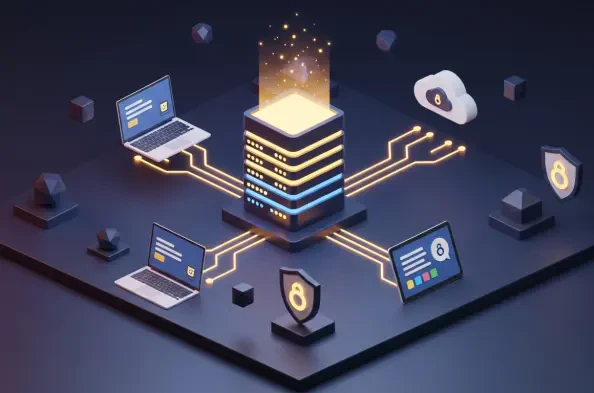
Managing a large fleet of machines requires a different approach than protecting a single desktop, and UrBackup addresses this need through a centralized client-server architecture. This model allows a single server to coordinate the backups for dozens or even hundreds of client devices across a network, providing an administrator with a single point of control. The web-based dashboard offers real-time monitoring of every machine’s status, showing which backups are in progress, which have failed, and how much space is being consumed by each user. This centralized visibility is crucial for maintaining compliance and ensuring that no device on the network is left unprotected. The software supports both file-level backups and full-system image backups, giving administrators the flexibility to choose the right level of protection for different types of hardware. By using a “push” or “pull” mechanism, it can handle backups for machines that are only occasionally connected to the network, making it a robust solution for environments with mobile workers.
One of the key advantages of using a system like UrBackup is its ability to perform block-level image backups, which allows for a much faster restoration of an entire operating system in the event of a total hardware failure. This “bare-metal” recovery capability is a significant step up from simple file-level tools, as it preserves the entire system state, including boot loaders, partitions, and installed applications. To save space, the server utilizes a sophisticated linking system that stores common files only once across all clients, which is particularly effective in environments where multiple machines are running the same operating system or software suite. The client software is lightweight and runs unobtrusively in the background, ensuring that users are not interrupted by the backup process. Furthermore, the web interface allows for easy file restoration by the end-users themselves, reducing the workload on IT staff and providing a faster response time for minor data loss incidents. This combination of centralized power and decentralized accessibility makes it an indispensable tool for organizational data management.
Strategic Progress: Building Durable Data Habits
The evolution of the Linux backup landscape demonstrated a clear pivot toward deduplication and robust encryption as standard requirements for any serious tool. Developers recognized that users needed more than just a simple copy of their files; they required a way to traverse time and recover specific versions of their data without occupying massive amounts of storage space. This shift was supported by the rise of block-level analysis and sophisticated metadata management, which turned complex data protection into a background process that required less manual oversight from the average user. As these tools became more interconnected with various cloud storage providers and local network devices, the community witnessed a significant decrease in the total cost of ownership for high-quality data redundancy. These historical developments laid the groundwork for a more resilient digital society where data loss was no longer an accepted risk but an avoidable technical failure. The diversity of the current market ensured that every user, regardless of their technical proficiency, could find a path toward security.
Moving forward, individuals should prioritize a diverse strategy that includes both local snapshots for immediate recovery and encrypted off-site storage for long-term disaster resilience. Evaluating one’s own technical comfort zone is the first step in choosing between a graphical interface for daily convenience or a command-line tool for superior automation and lower system overhead. It is essential to conduct regular restoration tests, as a backup is only truly valuable if the data can be retrieved quickly and intact when a crisis occurs. Modern users should also look for tools that support immutability, ensuring that even if a system is compromised by malicious actors, the historical archives remain protected from unauthorized deletion or modification. By combining the strengths of different open-source and proprietary tools, it is possible to create a customized protection layer that evolves alongside changing hardware and storage needs. Ultimately, the success of any data strategy depends on consistency and the implementation of multiple layers of redundancy to secure a digital legacy against the unforeseen challenges of the era.