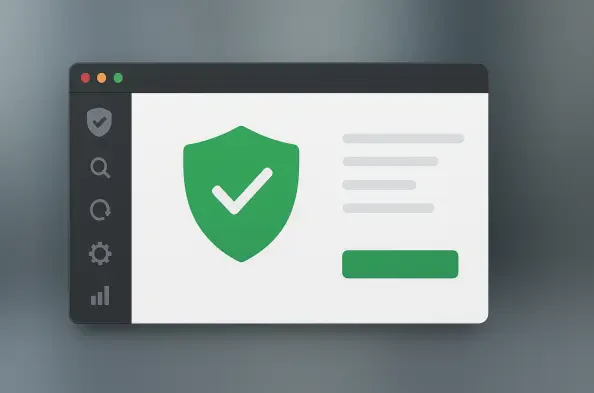
ClamUI provides a modern GTK4 and libadwaita graphical interface for the venerable ClamAV engine to simplify antivirus management on Linux distributions. While the Linux ecosystem has historically relied on the security of its permission structures and the relative scarcity of targeted malware, the interconnected nature of 2026 computing environments demands more proactive defense mechanisms. Users operating in heterogeneous networks frequently encounter files destined for other operating systems, making a robust scanner essential for preventing the lateral movement of threats. ClamAV has been the backbone of this defense for decades, yet its command-line nature often presents a barrier for desktop users who prefer visual interaction. ClamUI bridges this gap by offering a clean, intuitive wrapper that aligns perfectly with the aesthetic standards of modern desktop environments like GNOME. This tool represents a significant shift toward making powerful security utilities accessible to a broader audience without compromising the engine’s technical efficacy or depth.
1. Core Attributes: Design and Multi-Engine Integration
ClamUI stands out primarily due to its adherence to the latest design paradigms, moving away from the cluttered and often confusing layouts of legacy tools. By leveraging GTK4 and libadwaita, the developers have ensured that the application feels like a native part of the operating system rather than an afterthought or a port from another era. This visual cohesion is backed by a strict adherence to privacy, which is a cornerstone of the Linux philosophy. Unlike many proprietary antivirus solutions that monetize user data through telemetry and cloud-assisted checks, ClamUI operates with complete transparency. It does not track usage metrics, collect product analytics, or send crash reports to external servers by default. This approach ensures that the security tool itself does not become a privacy liability. Furthermore, the interface is designed to be lightweight, ensuring that the act of protecting the system does not consume the very resources required to perform critical tasks, maintaining high performance during active sessions.
Beyond the local scanning capabilities, ClamUI integrates directly with the VirusTotal API, providing an additional layer of verification for suspicious files. When the local ClamAV engine flags a file or when a user is uncertain about a specific binary, the file’s hash can be checked against dozens of other antivirus engines in the cloud. This dual-layered approach combines the speed of local signature-based detection with the massive intelligence database of a global platform. The application also supports complex system audits, allowing users to define specific profiles for recurring tasks. Whether a user needs a quick check of the downloads folder or a comprehensive scan of the entire root partition, the software handles these requests with precision. The concurrent multi-target scanning feature has been refined to provide clear, actionable results without overwhelming the user with false positives. This makes it a versatile tool for both casual users and system administrators who require a reliable, modern interface for their daily security workflows.
2. Implementation Guide: From Deployment to Threat Remediation
The process of establishing this defense layer begins with the deployment of the ClamAV engine on the host system. Because ClamUI acts as a front-end, it requires the underlying binaries to perform the actual file analysis. Users should utilize the native package manager specific to their distribution, such as apt for Debian, dnf for Fedora, or pacman for Arch, to install the engine. Once the back-end is active, get the ClamUI application via Flathub using the command to install io.github.linx_systems.ClamUI, or opt for the portable AppImage or .deb package. After the installation is complete, launch the application and navigate to the Database section to refresh the malware definitions. This step is essential to ensure the scanner recognizes the latest threats circulating in the wild. By updating the virus signatures before starting any security checks, the system remains prepared for new vulnerabilities. This modular setup ensures that the engine and the interface are both properly configured to work in harmony for maximum protection.
With the database current, the final phase involved picking a scan method from the dropdown menu, such as the home folder or a full system audit. Users also had the option to manually select specific directories for a targeted search before beginning the security audit by pressing the Start Scan button. The interface displayed real-time progress as it moved through the files, allowing for immediate feedback on the health of the system. Once the process concluded, users addressed detected threats by reviewing the findings in the results window. Flagged items were moved to quarantine, ignored if they were known safe files, or their paths were copied for manual investigation. For those looking to secure their systems further, implementing the ClamOnAcc client for on-access scanning and regularly verifying suspicious files with the VirusTotal integration provided a comprehensive defense strategy. This proactive approach to digital hygiene ensured that the desktop remained resilient against the evolving landscape of cyber threats while maintaining a streamlined and professional user experience.