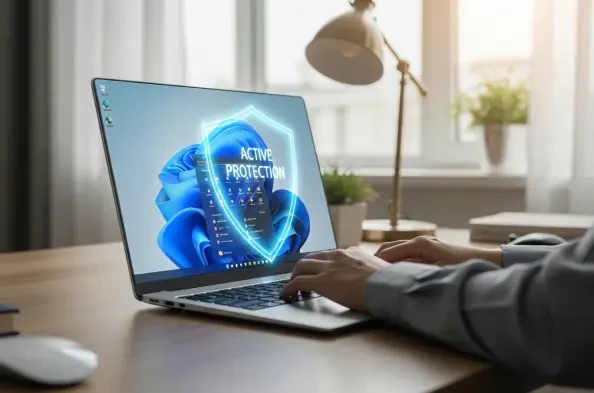
The rapid evolution of sophisticated cyber threats has forced a fundamental shift in how average users and enterprise administrators perceive the effectiveness of integrated security suites. As of 2026, the digital landscape is far more treacherous than in previous years, characterized by AI-driven phishing campaigns and highly localized ransomware attacks that target specific architectural vulnerabilities within the operating system. Microsoft has positioned its built-in Defender suite as a comprehensive shield, claiming that Windows 11 represents the most secure iteration of its software to date. This assertion rests on the deep integration of security protocols directly into the kernel, allowing for real-time monitoring that operates with minimal latency. For the standard consumer, this native protection often suffices because it leverages a global network of telemetry data to identify emerging threats. However, the question remains whether this factory-installed defense can truly withstand the specialized pressures of modern computing without the assistance of third-party software.
Evolution of Built-in Protection: The Current State
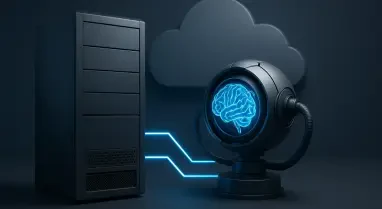
The efficacy of Microsoft Defender has transitioned from being a rudimentary secondary layer to a sophisticated, multi-layered defense mechanism that utilizes machine learning and cloud-based heuristics to thwart attacks. In the current 2026 environment, the software benefits from seamless updates that occur in the background, ensuring that the virus definition database is never more than a few minutes behind the latest discovery. This level of responsiveness is difficult for many legacy third-party providers to match without imposing a significant performance penalty on the host system. Because the security suite is baked into the operating system’s architecture, it avoids many of the compatibility hurdles that often plague external applications. Users who primarily engage in low-risk activities, such as streaming media or standard productivity, find that the native tools offer a robust barrier against common malware. The simplicity of a “set it and forget it” approach has significantly lowered the barrier for digital safety, making the internet safer for the general public.
Despite the impressive strides made by integrated solutions, specific niches within the user base still require the advanced features offered by dedicated security firms. Power users and financial professionals often find that basic protection lacks the granular control and supplementary tools necessary for high-stakes environments. Many third-party suites have pivoted from simple antivirus scanning to comprehensive identity protection platforms, offering services such as real-time dark web monitoring and managed password vaults. These additions provide a layer of utility that goes beyond the scope of a standard operating system feature. Furthermore, households with multiple devices running various operating systems may prefer a centralized dashboard that allows them to monitor the health of every smartphone and PC from a single interface. This level of cross-platform management remains a significant selling point for subscription-based services, particularly for parents who need advanced content filtering and activity reporting that native Windows tools might not fully provide.
Performance Impacts: Balancing Safety and Efficiency
One of the most persistent issues in modern computing is the degradation of system performance caused by redundant security software installations. When a user chooses to run a third-party antivirus alongside the active Microsoft Defender, the two programs often enter a state of conflict as they both attempt to monitor the same system calls and file operations. This results in a spike in CPU utilization and RAM consumption, which can make even the most powerful hardware feel sluggish and unresponsive during routine tasks. Modern Windows 11 installations are designed to recognize when an external security provider is present, typically disabling the native real-time scanner to prevent these collisions. However, remnants of background processes can still lead to system instability or errors. For gamers and creative professionals who require maximum processing power, the lightweight nature of the built-in protection is often the superior choice. Minimizing the software footprint on a PC is a critical strategy for maintaining longevity and high-speed operation in 2026.
In the corporate world, the debate shifts from individual convenience to institutional risk management and compliance. Large organizations rarely rely on the consumer-grade version of any security software, instead opting for enterprise-level suites that offer deep behavioral analysis and automated response capabilities. These sophisticated tools can isolate an infected machine from the network automatically, preventing the lateral movement of malware across a corporate infrastructure. While the underlying engine of Microsoft’s security tools is often the same across both versions, the administrative console provided by third-party enterprise solutions offers unparalleled visibility into the threat landscape of a specific company. Security Operations Center teams require the ability to hunt for threats across thousands of endpoints simultaneously, a task that demands specialized telemetry. For these environments, the built-in tools serve as a foundational layer, but they are almost always augmented by secondary monitoring services to ensure that sensitive intellectual property remains protected.
Future Considerations: Strengthening the Human Factor
The technological arms race between developers and hackers has reached a point where the greatest vulnerability is no longer the software but the user. No matter how advanced a security suite becomes, it can still be bypassed if an individual clicks on a malicious link or executes a suspicious file from an untrusted source. Therefore, the efficacy of the native Windows 11 protection is intrinsically linked to the digital hygiene of the person operating the computer. Effective protection in 2026 requires a hybrid approach where the software handles automated threats while the user remains vigilant against social engineering tactics. Education regarding the signs of phishing and the importance of multi-factor authentication has become just as critical as the choice of antivirus software. Even the most robust third-party suites struggle to protect a system if the user intentionally grants administrative privileges to a deceptive program. Consequently, the reliance on built-in tools has encouraged a more streamlined user experience where security is transparent and effective.
Ultimately, the landscape of personal computing security was transformed by the realization that integrated tools could match the performance of paid alternatives. For the majority of users, the decision was made to trust the native defenses of Windows 11, which proved to be a cost-effective and efficient strategy for mitigating everyday risks. Moving forward, individuals were encouraged to evaluate their specific digital footprint and determine if their unique needs warranted the additional features of a third-party subscription. Those who prioritized cross-device management or advanced identity protection found value in external suites, while others focused on maintaining rigorous system updates and hardware-backed security features. The path toward a secure computing environment required a combination of automated software alerts and proactive behavioral changes. By maintaining a single, high-quality real-time scanner and adopting multi-factor authentication, users successfully fortified their digital lives. This balanced approach ensured that the computer remained a productive tool.