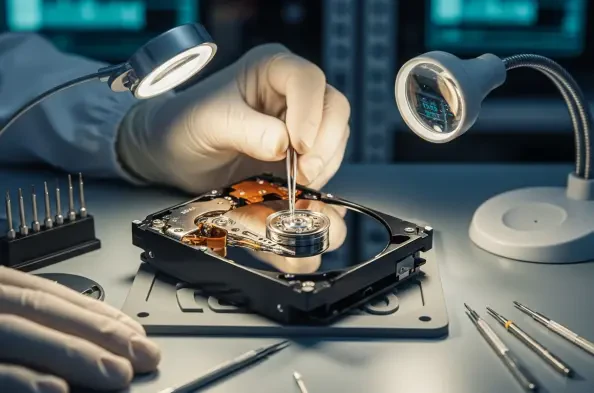
The sudden realization that years of architectural renders or high-resolution video archives have vanished behind a cryptic operating system error remains one of the most chilling experiences for modern technology users. In the current landscape of 2026, where individual hard drives often exceed capacities of twenty terabytes, the stakes for data recovery have never been higher than they are right now. While solid-state drives dominate the consumer market for speed, high-capacity magnetic spinning platters remain the industry standard for bulk storage and cold backups due to their cost-effectiveness and long-term stability. This reliance creates a unique set of challenges because mechanical complexity inherently increases the risk of catastrophic failure over time. Whether a drive becomes “RAW,” meaning the operating system no longer recognizes its file system, or it suffers from a lost partition after a botched update, the path to recovery must be navigated with technical precision. Understanding the current tools and methodologies allows users to distinguish between a minor software glitch and a terminal hardware defect. The goal is not merely to get the drive spinning again but to extract every bit of essential information before the physical medium degrades further. As storage density pushes the limits of physics, the window for successful recovery often shrinks, making early intervention and the correct choice of software the determining factors in whether data is saved or lost forever. This requires a systematic approach that prioritizes data integrity above all other considerations.
The Critical Hierarchy: Identifying Failure Types and Initial Safety Measures
Distinguishing between logical malfunctions and physical hardware failures serves as the foundational step in any successful data recovery workflow in 2026. Logical errors occur when the drive’s physical components—such as the motor, actuator arm, and magnetic heads—are functioning perfectly, yet the data structure itself has become corrupted or unreadable. This often manifests as a drive appearing as unallocated space, or the system prompting the user to format the disk before use. In these instances, the bits are still physically present on the platters, but the map used by the operating system to locate them has been erased or damaged. Conversely, physical failures are characterized by mechanical distress, often signaled by audible clicking, grinding, or a complete lack of vibration when powered on. If a drive exhibits these physical symptoms, the risk of a head crash is extremely high, where the read-write head makes contact with the platter surface, causing irreparable damage. High-density recording technologies make these physical surfaces even more delicate than in previous years. Attempting to run recovery software on a physically failing drive is a recipe for disaster, as the intense scanning process puts immense stress on the weakening hardware, often leading to total media destruction and permanent data loss for the user.
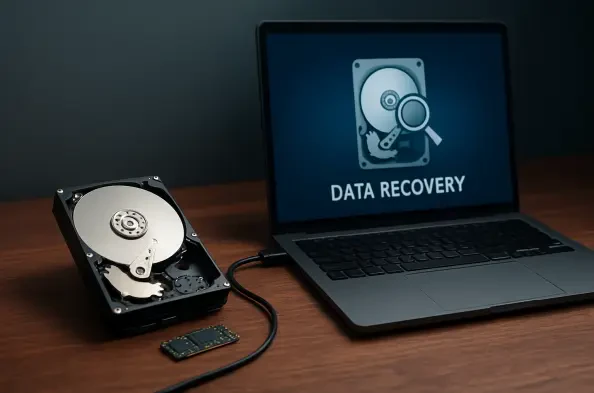
Professional data recovery specialists universally advocate for the “golden rule” of drive repair: never perform recovery operations directly on the original failing hardware if it can be avoided. Instead, the first action should be creating a sector-by-sector disk image, which is a bit-for-bit clone of the entire drive. This process uses specialized utilities to read every single block of data and write it to a separate, healthy storage device, creating a virtual replica known as a disk image file. By working with this clone, a user can run deep scans, attempt partition repairs, and test different file signatures without ever stressing the original damaged drive again. This is particularly vital in 2026 because the sheer volume of data on modern drives means that a comprehensive scan can take several days to complete. If the original drive is in a state of gradual mechanical decline, it might not survive a forty-eight-hour continuous read operation. If a mistake is made during the recovery process on the image, the user can simply delete the image and start over from the original source, provided the original was kept powered off in the interim. This layer of safety transforms a high-stakes emergency into a controlled technical procedure, significantly increasing the probability of a full data restoration while protecting the integrity of the source media.
Advanced Restoration Utilities: Navigating Logic Errors and Lost Volumes
When a drive is recognized by the system hardware but refuses to mount or show files, Disk Drill has solidified its reputation as a leading utility for both macOS and Windows environments. Its primary advantage in the current tech landscape is its sophisticated “Deep Scan” algorithm, which moves beyond simple file table analysis to search for specific file signatures across the entire raw surface of the disk. This capability is essential for RAW drives where the Master File Table or the GUID Partition Table has been severely corrupted or overwritten. By identifying the unique hexadecimal headers of thousands of different file types, the software can reconstruct documents, photos, and databases even when the original directory structure is completely gone. Furthermore, the 2026 iterations of this software have integrated better support for modern file systems like APFS and ReFS, which utilize advanced copy-on-write features that can complicate traditional recovery methods. The user interface remains intuitive, masking the complex cryptographic and forensic mathematics occurring beneath the surface. This accessibility allows non-experts to perform professional-grade data extraction without needing to understand the intricacies of low-level disk geometry, provided they follow the established safety protocols of working from a disk image.
For scenarios where the hardware is healthy but the partition architecture has vanished, TestDisk remains the undisputed gold standard for technical users and system administrators. Unlike general recovery tools that focus on individual file extraction, TestDisk is designed to repair the drive itself by locating lost partitions and rebuilding the boot sectors. It is an open-source powerhouse that can fix partition tables, recover deleted partitions, and even restore the Master Boot Record in environments where a system refuses to start. Its command-line interface, while devoid of modern graphical flourishes, provides a direct line to the disk’s internal structure, allowing for precise manual corrections of disk geometry. In 2026, this tool is particularly valued for its ability to handle complex multi-boot setups and encrypted volumes that have lost their header information. By scanning the disk for backup copies of partition headers, TestDisk can often “undelete” a partition in seconds, making the entire volume accessible again as if the error never occurred. This surgical approach is often faster and more efficient than file-by-file recovery, as it restores the original file paths and folder hierarchies, which are often lost during raw signature scans, preserving the user’s original organizational structure.
Specialized scenarios involving minor hardware degradation or complex file system repair often require the precision of tools like Victoria HDD/SSD or the multi-functional DiskGenius. Victoria acts as a low-level diagnostic and repair suite, providing a visual heat map of every sector on the drive to identify areas that are on the verge of failure. It allows technicians to remap these failing sectors to a hidden spare area on the drive, effectively telling the hardware to ignore the bad spots and use fresh ones instead. This “sector surgery” can stabilize a drive just long enough to perform a successful data transfer. On the other hand, DiskGenius offers a comprehensive suite that combines high-level partition management with granular data recovery features. It is particularly effective for Windows users dealing with RAID failures or virtual disk corruption, offering tools to reconstruct broken arrays without the original controller. These tools represent the “power user” tier of data recovery, providing the granular control necessary to navigate the complexities of modern high-capacity storage. While they require a deeper understanding of disk physics, they provide the best chance for recovery when standard automated solutions fail to produce results, making them essential components of a technician’s toolkit.
Sustaining Data Integrity: Proactive Monitoring and Redundancy Standards
Transitioning from reactive repair to proactive management is a hallmark of sophisticated data stewardship in 2026. Tools such as Hard Disk Sentinel have become indispensable because they provide a continuous, real-time window into the internal health metrics of a storage device through S.M.A.R.T. data. Instead of waiting for a drive to stop responding, these utilities monitor subtle indicators such as reallocated sectors count, spin-up time, and seek error rate. A sudden spike in these numbers often precedes a total mechanical failure by several weeks, providing a critical window for data migration. In an era where drives are packed with more data than ever before, the time required to move several terabytes of information is significant. Real-time monitoring ensures that this migration happens during a scheduled maintenance window rather than during a frantic midnight emergency. By setting custom alert thresholds, users can receive notifications the moment a drive’s health drops below a certain percentage, allowing for the immediate decommissioning of questionable hardware. This shift toward predictive maintenance significantly reduces the likelihood of ever needing to use advanced recovery software in a high-pressure situation, ensuring that hardware is replaced long before it reaches a terminal state.
Despite the sophistication of modern software and the resilience of hardware, the only absolute guarantee against data loss remains a disciplined backup architecture. The 3-2-1 backup rule continues to be the industry standard for a reason: it acknowledges that all physical media will eventually fail. This strategy dictates that a user should maintain three separate copies of their data, stored on at least two different types of media, with at least one copy kept in a different geographic location. In 2026, this often looks like a primary working drive, a local Network Attached Storage for the second copy, and an encrypted cloud-based archive for the third. This redundancy ensures that even if a local disaster like a power surge or a fire destroys the physical hardware, the information itself remains safe and accessible. Relying solely on repair tools is a dangerous gamble, as even the best software cannot overcome severe platter damage or catastrophic firmware corruption. Treating data recovery as a last-resort insurance policy rather than a primary maintenance strategy is the most mature approach to digital life. When a drive begins to fail, the focus should not be on fixing it for continued use, but on extracting the data and immediately replacing the unit with new, reliable hardware to prevent future incidents.
Post-Recovery Protocols: Strategic Decommissioning and Future Resilience
Once the data has been successfully extracted and verified, the focus must shift toward the permanent decommissioning of the compromised hardware. A drive that has exhibited logical corruption or physical instability should never be trusted with important information again, even if it appears to be functioning normally after a repair. In 2026, the cost of storage continues to fall, making the price of a replacement drive negligible compared to the potential cost of another, more severe failure. The process of retiring a drive involves more than just unplugging it; it requires a secure wipe of the data to ensure privacy, followed by responsible physical recycling. If the drive is still partially operational, software-based wiping tools can overwrite the entire surface with random data multiple times to prevent forensic reconstruction. However, if the drive is physically failing, mechanical destruction is often the only way to guarantee that sensitive information cannot be recovered by third parties. This clean break allows the user to start fresh with a new storage medium, applying the lessons learned from the previous failure to build a more resilient and better-monitored system for the future, thereby reducing the risk of a recurring crisis.
The journey from a critical drive failure to a successful data restoration highlighted the importance of systematic technical responses over panicked reactions. Experts demonstrated that the separation of logical and physical diagnostics served as the most effective starting point for any recovery effort. By prioritizing the creation of a sector-by-sector disk image, the risk of permanent data loss was mitigated, allowing for safe experimentation with advanced utilities like TestDisk and Disk Drill. The integration of real-time S.M.A.R.T. monitoring and the 3-2-1 backup philosophy transformed data safety from an occasional concern into a continuous, automated process. Moving forward, the adoption of redundant arrays and hybrid cloud storage models will likely reduce the frequency of these emergencies, yet the fundamental skills of manual recovery will remain essential as long as physical storage exists. The successful restoration of lost volumes proved that even in a complex technological era, a disciplined approach combined with the right tools could overcome most digital disasters. These experiences ultimately reinforced the necessity of viewing storage hardware as a temporary vessel for data rather than a permanent repository, encouraging a more proactive and cautious relationship with digital assets in the years to come.