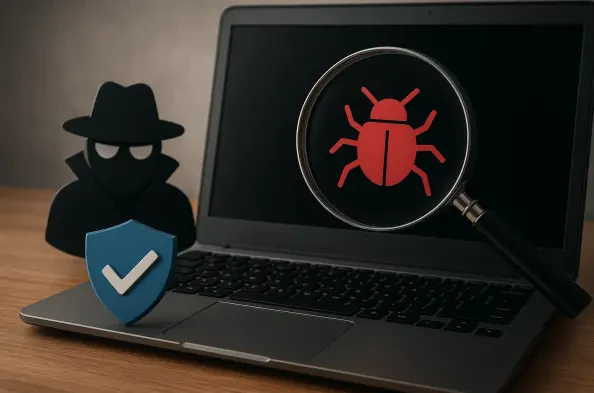
Invisible spyware can lurk on a workstation for months, silently harvesting sensitive data without triggering any obvious system warnings. In the current technological landscape of 2026, these threats have become increasingly sophisticated, often masking their activities as legitimate background processes or utilizing advanced encryption to hide exfiltrated data. Traditional antivirus software, while essential, sometimes fails to identify the most nuanced forms of surveillance software, particularly those categorized as “grayware” or specialized tracking tools. The proliferation of hybrid work environments has only exacerbated this issue, as personal and professional data often mingle on the same hardware, creating a high-value target for malicious actors. Protecting a system requires more than just passive scanning; it demands a comprehensive understanding of the tools available to uncover hidden threats. By leveraging a suite of specialized utilities, individuals can perform deep-dive audits of their systems, identifying anomalies that would otherwise remain undetected. The following sections explore highly effective free tools that provide the granular control necessary to reclaim privacy and ensure that no unauthorized software is operating behind the scenes.
1. Process Explorer: Advanced Insights into System Processes
Process Explorer serves as a significant upgrade to the standard Task Manager, providing a window into the complex interactions occurring within an operating system. Developed as part of the Sysinternals suite, this utility allows users to see exactly which handles and DLLs processes have opened or loaded. In the context of 2026, where malware often injects code into legitimate system files, the ability to track the parent-child relationship of every running application is invaluable. The tool displays a hierarchical tree view, making it immediately apparent if a standard process like “explorer.exe” has spawned a suspicious sub-process that it normally would not. Furthermore, users can identify which active network connections are associated with specific processes, allowing for the detection of unauthorized data transmission to external servers. This level of transparency is essential for uncovering “headless” spyware that operates without a visible user interface, hiding in the shadows of the system’s memory.
Beyond its basic monitoring capabilities, Process Explorer integrates directly with external intelligence sources to provide real-time threat assessment. One of its most powerful features is the built-in VirusTotal integration, which allows users to automatically submit the hash of every running process to a database of dozens of different antivirus engines. This provides an immediate consensus on whether a particular file is considered malicious by the wider security community. The tool also provides detailed information about the manufacturer and the digital signature status of each executable, helping to distinguish between verified system components and unsigned, potentially dangerous binaries. By examining the “Properties” of a suspicious item, a user can see the exact path from which a program is running, often revealing hidden directories or temporary folders where spyware typically resides. This granular visibility ensures that even the most well-disguised threats have nowhere to hide.
2. Autoruns: Eliminating Hidden Persistence Mechanisms
The primary goal of any sophisticated spyware is persistence, ensuring that the malicious code restarts every time the computer is turned on. Autoruns is the most comprehensive utility available for identifying and managing every single entry point that an application can use to launch itself during the boot process. While most users are familiar with the “Startup” folder, modern malware utilizes much more obscure locations, including registry keys, scheduled tasks, browser helper objects, and system services. Autoruns categorizes these entries into various tabs, such as “Logon,” “Explorer,” and “Scheduled Tasks,” making it easier to navigate the sheer volume of data. By using the “Hide Microsoft Entries” filter, users can strip away the noise of legitimate operating system components and focus exclusively on third-party software. This makes it significantly easier to spot an unfamiliar entry that might be responsible for re-infecting the system after a standard virus scan.
In addition to identifying startup programs, Autoruns provides the means to disable or delete these entries with precision. This is a critical step in the remediation process because simply deleting a malicious file is often insufficient if a registry entry exists to re-download or re-create it upon the next reboot. The tool allows for a “check and verify” workflow where a user can temporarily disable a suspicious item to see if it impacts system stability or stops the unwanted behavior before committing to permanent deletion. In 2026, where scheduled tasks are frequently used to trigger periodic data exfiltration, the ability to audit the timing and triggers of every task on the system is a major defensive advantage. By meticulously reviewing these auto-start locations, a user can effectively break the persistence cycle of spyware, ensuring that once a threat is identified and removed, it remains gone for good.
3. VirusTotal: Leveraging Cloud Intelligence for Detection
VirusTotal represents a shift toward a collaborative security model, aggregating the scanning power of over 60 different antivirus engines and website scanners into a single, accessible interface. When a file or URL is submitted to the platform, it is analyzed by a diverse array of detection technologies, including signature-based, heuristic, and behavioral engines. This multi-pronged approach is vital because no single security vendor has a 100% detection rate for all types of spyware. A file might be flagged by only five out of sixty engines, but those five detections could be the difference between a secure system and a compromised one. For users investigating a suspicious file found via Process Explorer or Autoruns, VirusTotal provides a broad consensus that helps eliminate false positives while highlighting emerging threats that have not yet been added to the local database of standard antivirus software.
The utility of VirusTotal extends beyond simple file analysis, as it also allows for the investigation of IP addresses and domains. If a user discovers a process communicating with a strange external server, they can input that address into VirusTotal to see if it has been associated with known command-and-control infrastructure or phishing campaigns. The platform also provides a “Behavior” tab for many analyzed files, showing exactly what actions the executable takes when run in a sandboxed environment, such as which registry keys it modifies or which files it attempts to delete. This context is crucial for understanding the intent of a program. In the fast-paced threat environment of 2026, the ability to tap into a global, real-time database of malware intelligence allows individuals to stay one step ahead of attackers who are constantly refining their techniques to bypass localized defenses.
4. Malwarebytes: Targeted Remediation for Potentially Unwanted Programs
Malwarebytes has built a reputation for being exceptionally effective at finding the “junk” that many traditional antivirus programs ignore. While many security suites focus on high-level threats like ransomware or trojans, Malwarebytes excels at identifying and removing adware, browser hijackers, and potentially unwanted programs (PUPs). These types of software often walk a fine line between legitimate utility and malicious intrusion, frequently bundling themselves with free software downloads. Once installed, they can track browsing habits, redirect search queries, and display intrusive advertisements, all while consuming significant system resources. The scanning engine in Malwarebytes is specifically tuned to recognize the behavioral patterns of these nuisances, using heuristic analysis to catch variations of spyware that have been slightly altered to evade detection.
The remediation process offered by Malwarebytes is designed to be thorough yet user-friendly, moving detected threats into a secure quarantine environment where they cannot do further harm. This allows users to review the findings before permanent deletion, ensuring that no essential files are accidentally removed. In the current era of 2026, the tool’s ability to clean up the remnants of an infection is just as important as its detection capabilities. Spyware often leaves behind a trail of modified system settings and corrupted configurations that can cause instability even after the primary executable is gone. Malwarebytes focuses on restoring these settings to their original state, providing a comprehensive cleanup that goes beyond just removing the malicious binary. Its “Chameleon” technology also allows it to run even if a malware infection is actively attempting to block security software from launching, making it a reliable choice for heavily compromised systems.
5. Spybot – Search & Destroy: Proactive Immunization and Specialized Tracking
Spybot – Search & Destroy offers a unique approach to system security by focusing heavily on the tracking mechanisms used by spyware and advertisers. While its user interface may appear more traditional than some modern competitors, its underlying database is highly specialized for uncovering keyloggers, tracking cookies, and other privacy-invasive tools. One of its standout features is the “Immunization” tool, which proactively blocks access to thousands of known malicious websites and tracking servers by modifying the system’s hosts file and browser settings. This preventive measure acts as a first line of defense, stopping spyware from communicating with its home base or preventing a user from accidentally navigating to a site known for hosting drive-by downloads. By neutralizing these threats at the source, Spybot reduces the overall attack surface of the PC.
The software also provides a detailed look at the “hidden” areas of a computer where privacy leaks often occur, such as the usage tracks left behind by various applications. Beyond just removing malicious software, Spybot helps users maintain a clean digital footprint by clearing history logs and temporary files that could be exploited by spyware to build a profile of the user’s activity. In 2026, as data privacy regulations have become more stringent, having a tool that specifically targets the mechanisms of unauthorized data collection is more relevant than ever. Whether it is a legitimate program overstepping its bounds or an outright malicious keylogger, Spybot provides the specialized tools needed to identify and terminate these privacy threats. Its ability to work alongside other security software makes it an excellent secondary layer in a defense-in-depth strategy, catching the specific spyware variants that broader tools might miss.
6. Step-by-Step Instructions: A Methodical Approach to Cleaning Your PC
The process of cleaning a computer begins with a thorough investigation of active processes and boot items to identify anything out of the ordinary. Utilizing Autoruns and Process Explorer in tandem allows for a comprehensive audit of the system’s current state. Within Autoruns, focus should be placed on the “Everything” and “Scheduled Tasks” tabs to see exactly what is configured to run automatically. Look for entries that lack a verified publisher or those that are located in suspicious directories like AppData or Temp folders. If a process or file appears unfamiliar, its reputation should be verified using the integrated VirusTotal features. By cross-referencing suspicious entries with a global database of known threats, it becomes much easier to distinguish between a benign system utility and a malicious piece of spyware. Once a problematic process is identified, it can be halted in Process Explorer by right-clicking and selecting the option to end the process tree, which stops its immediate activity and prevents it from spawning further malicious threads.
After halting the active threats, the next phase involves a deep system scan and the application of specialized protections to ensure the infection is completely eradicated. Launching Malwarebytes for a full system scan will locate the physical files on the hard drive that correspond to the malicious processes previously identified. This scan is essential for finding dormant files or backup copies of the spyware that may not be currently running but could re-activate the infection later. Once the scan is complete and the threats are moved to quarantine, running Spybot – Search & Destroy provides an additional layer of scrutiny, specifically targeting any lingering adware or tracking software that might have been missed. Utilizing Spybot’s immunization tool then adds a proactive defense by blocking known malicious domains at the system level. This two-stage approach—first identifying and halting active threats, then performing a deep clean and applying preventative measures—ensures a high degree of success in restoring the security and privacy of a workstation.
7. Enhancing Defensive Resilience: Strategic Takeaways for Continued Protection
In the preceding analysis, the effectiveness of various security utilities was examined to demonstrate how a layered defense strategy successfully identified and removed sophisticated spyware. The historical reliance on a single antivirus solution proved insufficient as threats transitioned toward stealth and persistence throughout the middle of this decade. By employing specialized tools such as Process Explorer and Autoruns, system transparency was achieved, allowing for the manual intervention required to disrupt complex infection chains. The integration of cloud-based intelligence through VirusTotal further bridged the gap between local detection and global threat awareness. These tools, when used in a methodical workflow, transformed a compromised environment back into a secure workspace, proving that proactive auditing is the most reliable defense against silent data exfiltration.
Moving forward, the focus must shift from reactive cleaning to the establishment of resilient digital habits that prevent re-infection. Users should implement a policy of least privilege, ensuring that daily tasks are not performed using administrative accounts, which significantly limits the damage spyware can inflict. Regularly auditing startup entries and scheduled tasks using the tools discussed should become a standard part of monthly system maintenance. Additionally, the use of hardware-based multi-factor authentication and encrypted communication channels remains critical in 2026 to protect the data that spyware seeks to steal. By combining these behavioral changes with the specialized software utilities detailed in this guide, individuals can maintain a robust security posture that is capable of withstanding the evolving tactics of malicious actors in an increasingly connected world.